Wednesday, March 07, 2012


Sunday, March 04, 2012
Tablets Will Take Over Sooner Than You Think: Five Telling Trends - Forbes
Tablets Will Take Over Sooner Than You Think: Five Telling Trends - Forbes
On an earning conference call in January, Apple CEO Tim Cook said, “I truly believe, and many others in the company believe, that there will come a day that the tablet market in units is larger than the PC market.” (See full transcript at Seeking Alpha) “Question is when?” asked Horace Dediu on the Asymco blog. What follows was his detailed projection, with lots of yummy looking charts, that came to the conclusion, “Given these assumptions, the day when the tablet market (by units) will exceed that of traditional PCs will come sometime in the fall of 2013.”
Click on the link above to read more.
Saturday, February 25, 2012
OnLive Desktop Plus adds Flash to your iPad, for $5 a month (hands-on) | iPad Atlas - CNET Reviews
OnLive Desktop Plus adds Flash to your iPad, for $5 a month (hands-on) | iPad Atlas - CNET Reviews
Read more: http://reviews.cnet.com/8301-31747_7-57383068-243/onlive-desktop-plus-adds-flash-to-your-ipad-for-$5-a-month-hands-on/#ixzz1nPbHVcVd
During CES 2012, the surprise appearance of OnLive Desktop was an intriguing idea for Windows lovers: rent a Windows 7 computer remotely and stream the whole experience to your iPad.
Helping the cause for the first iteration of OnLive Desktop was its price: free. That version had only 2GB of cloud storage, and the Windows 7 environment ran only a suite of Microsoft Office applications (sans Outlook), but for the cloud-curious and those who lack a word processor for their iPad, OnLive's streaming solution is a clever way to explore a mobile office.
Read more: http://reviews.cnet.com/8301-31747_7-57383068-243/onlive-desktop-plus-adds-flash-to-your-ipad-for-$5-a-month-hands-on/#ixzz1nPbHVcVd
Friday, February 24, 2012
Beyond The iPad - Runnig Windows 7 on an iPad.
I am using a new App, OnLive Desktop to run Windows 7 Explorer 9 and Office Applications on an iPad. This program moves on dramatically forward into the future of cloud based, platform agnostic computing. This example leaves Google's awkward first steps with it's online docs far behind. This type of computing will be part of our future. Here is a link to the iPad Application. OnLive Desktop
Thursday, November 24, 2011
David Sparks's iPad At Work - An Essential Guide To Being Productive On An iPad
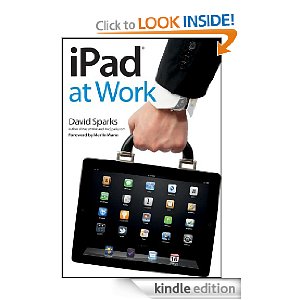
David Sparks's iPad At Work - An Essential Guide To Being Productive On An iPad
iPad at work, David Sparks' follow up to his well received first book, "Mac At Work", is a significant contribution to the growing field of computer based, workflow management.
The computer tablet, as a mainstream computing device, has only been in existence since the introduction of the original iPad in 2010. Since that time we have seen almost every computer maker jump onto the tablet computing bandwagon, but as of now, late 2011, the Apple iPad still commands a lions' share of the computer tablet market.
For most consumers, who are first time tablet owners, or who are considering purchasing a first tablet, there are few available cultural references with which one can latch onto, in order that they conceptually visualize the role that a tablet computer might play in their everyday business workflows. Most people, for example believe that typing on the onscreen keyboard might be difficult or slow. I, as a typing challenged baby boomer, have found the opposite to be true. David Sparks debunks this widely held assumption, while also discussing the times, that for long documents, a Bluetooth keyboard might be a useful accessory. David Sparks, with a simple, direct style shows readers both a context, and the nuts and bolts application, of a technology which twenty years ago was only imagined in science fiction.
Patrick Stewart's character, Captain Jean-Luc Picard, in the syndicated television series "Star Trek, The Next Generation", walks around with a tablet computer in his hand quite often, on the futuristic "Starship Enterprise", provides a small taste of the possibilities of a tablet computing. With the iPad science fiction has entered the reality of the present day work world. The iPad is not just a laptop replacement or a large iPad Touch. It is a totally separate new category of computing device, with it's own unique strengths and limitations.
David Sparks, in this book, does not simply explore the possibilities of the present day "Titan" of the tablet world, he takes us down into the weeds of our everyday workaday hoeing and thrashing and he shows us both how the iPad can help us open up to new possibilities for the way we handle our work, and he also shows us how,in significant ways, the iPad, is a superior computing tool for simply getting things done.
Maybe the most important lesson to be learned from David Sparks' "iPad At Work" is that the iPad, is not simply an entertainment or information consumption device. It is fast becoming an indispensable tool, for those who find themselves working in today's fast paced and mobile work environment. I spoke with someone, on the day of this writing, who volunteered to me a description of how the iPad is now being used as an indispensable tool in AT&T's customer service call centers.
Mr. Sparks, as he did in "Mac At Work", explores the design of Apple's iPad, and the installed operating system as a piece of one whole garment.
He explains in detail the basic operation of the device in a way that supplements but doesn't replace Apple's device operation documentation.
Perhaps the most significant contribution of this work, as was the case in the first books, is the straight forward way Sparks guides us through the labyrinth of over 100,000 iPad applications, selecting a few examples of the best of the breed, which can be utilized by professionals with simple, moderately complex or very sophisticated needs.
Sparks describes the advantages and drawbacks of each recommended Apple iTunes Store application, in the context of specific, task oriented workflows, whether they be word processing, mind mapping, presentations or working with the handling of files and cloud services such as iCloud, Dropbox or iBox.
He covers the most common tasks from task management to spreadsheet manipulation, in a way that places practicality and cost effectiveness at the forefront of his analysis. In addition the writer stresses the often overlooked importance of the apps user friendliness and visual appearance. One example of this approach occurs when Sparks describes how one PDF and document management software, GoodReeder's appearance and user interface had at first blush turned him off, but how this apps many functional strengths helped him to overcome his initial reservations. My experience with this app mirrors Mr. Sparks' description. This type of advice is invaluable.
In closing this book is readable and will provide expert guidance to both the computer challenged and more advanced user. If you own an iPad, or if you are considering purchasing a tablet computer, read this book. Once again Mr. Spark's workflow advice will help you both save money and increase your productivity. If you want to hear Mr. Sparks describe the workings of Apple devices, in his own voice, go to the Mac Power Users podcast which he co--hosts with fellow attorney Katie Floyd. This podcast introduced me to David Spark's work. Like his podcasts, his books always leave me yearning for more.
iPad at work, David Sparks' follow up to his well received first book, "Mac At Work", is a significant contribution to the growing field of computer based, workflow management.
The computer tablet, as a mainstream computing device, has only been in existence since the introduction of the original iPad in 2010. Since that time we have seen almost every computer maker jump onto the tablet computing bandwagon, but as of now, late 2011, the Apple iPad still commands a lions' share of the computer tablet market.
For most consumers, who are first time tablet owners, or who are considering purchasing a first tablet, there are few available cultural references with which one can latch onto, in order that they conceptually visualize the role that a tablet computer might play in their everyday business workflows. Most people, for example believe that typing on the onscreen keyboard might be difficult or slow. I, as a typing challenged baby boomer, have found the opposite to be true. David Sparks debunks this widely held assumption, while also discussing the times, that for long documents, a Bluetooth keyboard might be a useful accessory. David Sparks, with a simple, direct style shows readers both a context, and the nuts and bolts application, of a technology which twenty years ago was only imagined in science fiction.
Patrick Stewart's character, Captain Jean-Luc Picard, in the syndicated television series "Star Trek, The Next Generation", walks around with a tablet computer in his hand quite often, on the futuristic "Starship Enterprise", provides a small taste of the possibilities of a tablet computing. With the iPad science fiction has entered the reality of the present day work world. The iPad is not just a laptop replacement or a large iPad Touch. It is a totally separate new category of computing device, with it's own unique strengths and limitations.
David Sparks, in this book, does not simply explore the possibilities of the present day "Titan" of the tablet world, he takes us down into the weeds of our everyday workaday hoeing and thrashing and he shows us both how the iPad can help us open up to new possibilities for the way we handle our work, and he also shows us how,in significant ways, the iPad, is a superior computing tool for simply getting things done.
Maybe the most important lesson to be learned from David Sparks' "iPad At Work" is that the iPad, is not simply an entertainment or information consumption device. It is fast becoming an indispensable tool, for those who find themselves working in today's fast paced and mobile work environment. I spoke with someone, on the day of this writing, who volunteered to me a description of how the iPad is now being used as an indispensable tool in AT&T's customer service call centers.
Mr. Sparks, as he did in "Mac At Work", explores the design of Apple's iPad, and the installed operating system as a piece of one whole garment.
He explains in detail the basic operation of the device in a way that supplements but doesn't replace Apple's device operation documentation.
Perhaps the most significant contribution of this work, as was the case in the first books, is the straight forward way Sparks guides us through the labyrinth of over 100,000 iPad applications, selecting a few examples of the best of the breed, which can be utilized by professionals with simple, moderately complex or very sophisticated needs.
Sparks describes the advantages and drawbacks of each recommended Apple iTunes Store application, in the context of specific, task oriented workflows, whether they be word processing, mind mapping, presentations or working with the handling of files and cloud services such as iCloud, Dropbox or iBox.
He covers the most common tasks from task management to spreadsheet manipulation, in a way that places practicality and cost effectiveness at the forefront of his analysis. In addition the writer stresses the often overlooked importance of the apps user friendliness and visual appearance. One example of this approach occurs when Sparks describes how one PDF and document management software, GoodReeder's appearance and user interface had at first blush turned him off, but how this apps many functional strengths helped him to overcome his initial reservations. My experience with this app mirrors Mr. Sparks' description. This type of advice is invaluable.
In closing this book is readable and will provide expert guidance to both the computer challenged and more advanced user. If you own an iPad, or if you are considering purchasing a tablet computer, read this book. Once again Mr. Spark's workflow advice will help you both save money and increase your productivity. If you want to hear Mr. Sparks describe the workings of Apple devices, in his own voice, go to the Mac Power Users podcast which he co--hosts with fellow attorney Katie Floyd. This podcast introduced me to David Spark's work. Like his podcasts, his books always leave me yearning for more.

Saturday, July 02, 2011
Friday, June 24, 2011
Professional Video Editors Weigh In on Final Cut Pro X - NYTimes.com
Professional Video Editors Weigh In on Final Cut Pro X - NYTimes.com
 In Thursday’s paper, I reviewed Apple’s Final Cut Pro X, a professional video-editing program. It’s not an update of the existing Final Cut, which is by far the most popular such program; it’s completely new and radically redesigned. It looks different, its strengths are different — and after one day of using it, many professional video editors are running through the streets with pitchforks.

In 10 years of writing Times columns, I’ve never encountered anything quite like this.
In Thursday’s paper, I reviewed Apple’s Final Cut Pro X, a professional video-editing program. It’s not an update of the existing Final Cut, which is by far the most popular such program; it’s completely new and radically redesigned. It looks different, its strengths are different — and after one day of using it, many professional video editors are running through the streets with pitchforks.The Times’s technology columnist, David Pogue, keeps you on top of the industry in his free, weekly e-mail newsletter.
“This is Apple’s worst release in history,” seethed one in an e-mail message. “Apple has absolutely no clue what professionals need. There are so many missing high-end features that we need, it should be called iMovie Pro.”
I wrote my review from the perspective of an advanced amateur; I’m not a professional editor. I made four movies with Final Cut Pro X, including helping my son with a 20-minute final eighth-grade project. I found FCP X infinitely more powerful than iMovie, yet infinitely less intimidating than the old Final Cut.
But in this post, I’m going to address the concerns of professional video editors, one by one. [UPDATE: The information here comes from consultation with Final Cut Pro X's product managers at Apple.]
The “missing features” generally fall into three categories: features that are actually there and have just been moved around, features that Apple intends to restore and features that require a third-party (non-Apple) add-on or plug-in.
I’m not trying to be an Apple apologist; FCP X offers legions of amazing features that the old version didn’t have, but it doesn’t have all the features of the old one, either. It’s only fair, however, to separate what’s really missing from knee-jerk “It’s so different!” hysteria.
Complaint: There’s no multicamera editing. In the old FCP, you could import the footage from various cameras that covered an event (say, a concert) from different angles simultaneously, and then easily cut back and forth between them while editing. It was a star feature of Final Cut, and it’s gone from FCP X.
Answer: Apple intends to restore this feature in an update, calling it “a top priority.” Until it does, here’s a stopgap facsimile of multicam editing: If you drag two clips into parallel timeline tracks, you can choose Clip->Synchronize Clips. By comparing their audio tracks, the program aligns the clips exactly. Now, each time you select a piece of the upper video track and press the V key (“disable”), you are effectively cutting to what’s on the lower video track.
Complaint: You can’t share a project with other editors. In professional editing companies, editors routinely exchange projects. But in FCP X, “all of your project organization is now globally contained in the application rather than in your project file. You literally have to give that other editor your entire computer,” writes one blogger.
Answer: Not true. You can share your project, your files, or both.
If the other editors already have the raw video files, you can hand over the project file. The other editors can inspect the Project Library; on its Info panel, they can click “Modify Event References” to reconnect the project to their own copies of the media files.
If the other editors don’t have the raw files, the various commands in the File menu let you move the project file, the media files, or both to another computer on the network, to another hard drive or whatever.
Complaint: You can’t freely organize your media files. “There is no way to customize the organization of the project media,” gripes one blogger.
Answer: You can customize the organization freely if you’re willing to understand the new keyword tagging system. Dragging a clip into a folder essentially applies a new keyword to it.
Complaint: You can’t specify import locations. “When you import video files, FCP X puts them all into your User-> Movies folder, like iMovie does. Ridiculous,” says one reader in an e-mail.
Answer: Again, not true. In the Import dialog box, there’s an option called “Copy files to Final Cut Events folder.” If you turn it off, Final Cut leaves the imported files where they are.
Complaint: No Reconnect command when media is offline. When media is offline, you get a red screen with an exclamation point. There is no Reconnect Media command, as there used to be.
Answer: True. Then again, the old Reconnect dialog box got people into a lot of trouble; they often reconnected a project to the wrong files, or the wrong versions of files.
FCP X assigns a unique behind-the-scenes identifier to every single video clip. When you reconnect the missing hard drive, your project reconnects to its original files automatically, even if you have moved them around or renamed the hard drive. You can’t reconnect to the wrong thing.
Complaint: You can’t assign audio tracks. “We send all our audio files out for ProTools mixing,” writes one editor in an e-mail. “We always put narration on Track 1 and 2, interviews on Tracks 3 – 6, and so on. So our audio engineers know exactly what’s on which track. But FCP X’s ‘trackless’ design makes that impossible.”
Answer: For now, you can use a utility called Automatic Duck Pro Export 5.0 ($200 to upgrade) to create and manage these tracks automatically when you export to ProTools. Apple says it will restore this feature to FCP X.
Complaint: No custom frame rates or custom frame sizes. Editors are complaining that you can’t specify unusual frames-per-second rates or frame dimensions.
Answer: Not true. When you create a new project, you can specify any frame rate or size you want, right in the Import dialog box. You can also change the frame rate or size when you export the finished product — if you’re willing to spend $50 on Compressor.
Complaint: No support for RED digital cameras. The RED camera is a favorite of filmmakers; it records incredibly high-resolution video directly to a hard drive. But FCP X can’t import its files.
Answer: Apple is working with RED to create a plug-in that will give native RED support to FCP X. In the meantime, you can set your RED camera to shoot and capture video in the QuickTime format, which FCP X imports just fine. Or you can use RED’s free conversion program, which converts its own files into the Apple ProRes format, which FCP X loves because it’s so much faster and easier to edit than the native RED files.
Complaint: No P2 support. Professional Panasonic cameras record onto special memory cards called P2 cards. Editors are used to inserting the P2 card into a card reader and importing its video directly into Final Cut.
Answer: FCP X imports files from P2 cards just fine. The trick is to use the Import From Camera command (even though it’s a card), not Import ->Files.
Complaint: No ability to pause or fork the Autosave. Final Cut Pro autosaves your work as you go. Editors complain, therefore, that they can’t save different versions of a project as they go along.
Answer: You can duplicate your project at any time, thus freezing it in its current condition. Just click it in the Project Library and choose File -> Duplicate Project.
Complaint: Can’t specify the scratch disks. In previous versions of Final Cut Pro, you could choose individual hard drives for storing your project’s render (preview) files. But if you didn’t know what you were doing, things could get messy. For example, you might store the project on one drive, and then render files on another; then, later, you would open up the project when the render-file disk wasn’t available. You would have to re-render the whole project.
Answer: In FCP X, the render files are stored on the same disk as the project, so they don’t get separated. You can still store your files on any drive; you determine that by where you store the project file.
Complaint: Can’t output to tape. Videotape is on the way out — you would be hard pressed even to find a camcorder that takes tape anymore — so it’s not built into FCP X. This is one of several ways that FCP X is clearly a program designed more for the future than the past.
Answer: You can buy tape-deck control programs like AJA VTR Exchange and Black Magic Media Express. AJA and Black Magic are two major makers of add-on circuit boards for professional video editing. These apps work with their boards.
Complaint: Can’t export EDL files. These are Edit Decision Lists: a 30-year-old, ASCII-text, single-video-track export file format that can be moved from tape machine to tape machine, in order to continue working on a project on another computer. FCP no longer imports or exports them.
Answer: No solution in sight. Plenty of video-editing companies still traffic in EDL files, but Apple thinks these crude files should be retired. There are much better formats (read on).
Complaint: Can’t export AAF or OMF files. These formats are successors to EDL. They let you export your project to other programs, like Avid, Quantel or Pro Tools, for more sophisticated editing.
Answer: Automatic Duck ProExport 5.0 adds AAF and OMF exporting to FCP X. There will be other companies offering similar export plugins (including EDL, by the way), once Apple publishes its XML programming guidelines (API).
Complaint: Can’t connect an external monitor. Pros work with Final Cut on the Mac screen, but they prefer to view the actual edited video on a dedicated second screen. While Final Cut Pro X works just fine with a second computer monitor — you just choose Window -> Show Events on Second Display (or Window -> Show Viewer on Second Display) — there are complaints that it can’t connect to an external video monitor (TV), which pros feel offers better color fidelity.
Answer: Just as before, you need a Mac Pro with a video-output card in order to connect a TV monitor. Apple expects that the output-card companies will soon offer the necessary drivers for FCP X; AJA, one of the major makers of these boards, already offers beta versions of such drivers. Apple is working with Black Magic to offer drivers for its boards.
Complaint: Can’t specify QuickTime export settings. In FCP7, you could export your project as a QuickTime movie, with full control over the frame size, compression scheme, frame rate and so on. In FCP X, you have a few presets, but not the full range of control.
Answer: FCP’s companion program, Compressor, has a full range of compression schemes. It’s a separate $50 purchase, and its presets can be installed in FCP X directly.
Complaint: Can’t import old FCP files.
Answer: As I noted in my column, this is true; your old projects are stranded forever in the older FCP program. You’ll have to keep both programs on your hard drive, and edit the old projects in the old program. When you install the new FCP, your old copy is safely preserved.
The Bottom Line: Apple has followed the typical Apple sequence: (1) throw out something that’s popular and comfortable but increasingly ancient, (2) replace it with something that’s slick and modern and forward-looking and incomplete, (3) spend another year finishing it up, restoring missing pieces.
Professional editors should (1) learn to tell what’s really missing from what’s just been moved around, (2) recognize that there’s no obligation to switch from the old program yet, (3) monitor the progress of FCP X and its ecosystem, and especially (4) be willing to consider that a radical new design may be unfamiliar, but may, in the long term, actually be better.
This post has been revised to reflect the following correction:
Correction: June 24, 2011
An earlier version of this post misstated an export capability of the previous version of Final Cut. It could, in fact, export OMF files without a plug-in.
Wednesday, June 08, 2011
Which Apps Are Threatened by Apple's Upgrades? - NYTimes.com
Which Apps Are Threatened by Apple's Upgrades? - NYTimes.com
By SAM GROBART and JENNA WORTHAM

How do you know if you’ve created a really great, useful iPhone app? Apple tries to put you out of business.
That may be overstating it, but a number of new features for Apple’s operating systems that it announced at its Worldwide Developers Conference have been available through existing apps and services for some time. Some of those apps are quite popular, and have been lucrative for the people who developed them. Here’s a quick rundown of some of the services and applications that will be living in a changed world thanks to Apple’s new operating systems for Macs and iPhones:
Instapaper and Read It Later: Safari’s new Read Later feature allows you to access Web pages that you have saved for later across multiple iOS devices. You know, like Instapaper. (Update: The creator of Instapaper comments on the announcement.)
Readability: The new Reader mode in Apple’s Safari browser strips down online articles to images and a rolling column of text. Readability basically did the same thing.
Boxcar: This nifty app lets people manage their notifications in a single place, instead of having them pop up on their iPhone’s screen willy-nilly. The new Notifications panel in iOS 5.0 centralizes notifications in the same way.
To-do apps like Remember the Milk: Apple’s new Reminders feature can alert you to do something you’ve written down either based on time or location (pass by a grocery store you’ve marked in the app and you will be reminded to, um, remember the milk).
Camera+, QuickPix: One of the complaints about the iPhone’s camera is that it can take a while to get to when you want to take a picture in a hurry. Some apps used their faster start-up time as a selling point. The upgrade to the iPhone’s software includes the ability to place a camera button on the lock screen, for quick access. Users can also use a volume button as a shutter release, something Apple denied an app, Camera+, in December 2010.
Photo editing tools: While the popular filters of Hipstamatic andOldCamera do not seem to be in jeopardy, new features in the Photo app include cropping, red-eye reduction and one-touch auto-enhance, which may be enough for some picture takers.
Dropbox and other cloud storage services: iCloud, Apple’s free solution for storing documents and photographs in the cloud, may eradicate the need for independent services that let users do the same thing.
GroupMe and other messaging apps: iMessage will let Apple customers send messages to groups of friends — something that start-ups like GroupMe, Kik, TextPlus, FastSociety, Pinger and their ilk have been doing for months.
Better Touch Tool – A Mac OS X application that let you use multitouch gestures on a touchpad, which OS 10.7 has built in.
DropCopy – Drag and drop files to other users on your network. Just like AirDrop, which Apple announced was part of OS X today.
Zinio – A service that billed itself as “The World’s Largest Newsstand.” And it may be. For now. But what about after all iOS users have Apple’s Newsstand preloaded in their devices?
Apple clearly values their developers. They are a source of innovation and development. The company was proud to announce during the keynote that it had paid out more than $2.5 billion to developers. But there is another message to developers too: If you are really good at what you do, you will be assimilated.
Tuesday, June 07, 2011
iOS 5: What you need to know | Mobile | Macworld
iOS 5: What you need to know | Mobile | Macworld
by Macworld Staff, Macworld.com Jun 7, 2011 8:35 pm
When Apple senior vice president Scott Forstall took the wraps off iOS 5 at Monday’s Worldwide Developers Conference keynote, he focused on ten of what he said were more than 200 new features in the next incarnation of Apple’s mobile operating system.
But Forstall’s time was limited, and obviously he didn’t have a chance to run down everything that’s changed in the next major release of iOS. There are still plenty of questions to answer before iOS 5 arrives this fall, and while not every detail is available just yet, we’ve gathered up what Apple has revealed to answering your burning questions about this iOS update.
Upgrading
Which iOS devices will support the iOS 5 upgrade?
iOS 5 supports the same devices as iOS 4.3—the iPhone 3GS and iPhone 4, the iPad and iPad 2, and the third- and fourth-generation iPod touch. Yes, iPhone 3G owners—your hardware isn’t on that list. But given how some features in last year’s iOS 4 update weren’t supported on your phone—and how poorly the ones that actually were performed—it can hardly come as a surprise that Apple thinks it’s time for you to upgrade your aging smartphone to enjoy the latest OS it has to offer.
Has Apple provided any specifics on a release date for iOS 5?
All the company would say during Monday’s keynote is “fall.” (iOS developers, of course, already have a developer preview in hand.) Now whether or not Apple’s ideal of fall hinges on the autumnal equinox, we can’t say for certain. We do know that Apple traditionally schedules a music event around that time—last year, it fell on September 1—and that the iPod touch usually plays a prominent role in such an event, and that it would seem odd to announce a new device that’s still running an older version of iOS. But that’s pure speculation on our part.
What will it cost?
Not a cent. iOS 5 will be free.
Notifications
How will notifications work in iOS 5?
Our first look at iOS 5 notifications breaks most of it down for you. But in short, new notifications appear in a floating banner that looks a lot like Game Center alerts. A swipe down from the top of your device’s screen reveals Notification Center, which keeps a running list of all your alerts. And your most recent alerts stack up on your lock screen when they arrive while your device is asleep.
Can third-party apps leverage the improved notifications?
Yes, and with no extra effort. Apps that support push alerts today are already ready for iOS 5; they’ll seamlessly switch to using the new notifications system as soon as you upgrade to the new OS.
How configurable are the new notifications?
Very. Again, we refer you back to our first look linked earlier, but trust that you get plenty of control. You configure how notifications are sorted, you control which apps can and can’t send you notifications, and you can even—on an app-by-app basis—switch from the new banners to the original pop-up alerts instead. That way, if you’d prefer text messages interrupt you but Words With Friends alerts use the new approach, you can set things up just that way.
Can I keep notifications off my lock screen?
Every notification that arrives while your device is locked will show up on your lock screen in iOS 5, though you can turn off lock screen display on an app-by-app basis.
Yes—but it’s a manual process. You must manually turn lock screen display off on an app-by-app basis within the Settings app. Otherwise, every notification that arrives while your device is locked will appear on the lock screen when you display it—even if you use a passcode to lock your device.
PC Free
What does Apple mean by “PC Free,” anyway?
Sadly, it’s not an insane Mac promotional giveaway. Rather, Apple’s referring to the fact that with iOS 5, you’ll no longer need to tether your device to a Mac or PC during its initial setup, when syncing, or to grab software updates; you can handle all of those actions from the device itself. A new iTunes Sync section in the Settings app shows your device’s current sync status. Apple says that you can only sync with iTunes wirelessly so long as your iOS device is currently charging. (Bonus iOS 5 sidenote: While you sync—even if you do so by plugging your device into your Mac—you can still use your iPhone or iPad during the process.)
But software updates are huge! I don’t want to download a several gigabyte iOS update on my iPhone!
Fret not. Also new in iOS 5 is support for update deltas: Rather than download an entire new copy of the operating system, you’ll download a (theoretically much smaller) update that contains only the changed bits.
Hmm. But I’ll still need my Mac for some things, right?
Apple is happy to keep selling Macs, but the company’s goal is that you really won’t need to use yours to update anything on your iPhone or iPad. iOS 5 will allow you to take actions large and small alike that previous versions of iOS didn’t support, from minutiae like creating or deleting calendars and mailboxes to heavier lifting like photo editing.
iMessage
What is iMessage?
iMessage is Apple’s all-in-one replacement for text, group, and MMS messaging—sort of. If you’re familiar with Blackberry messaging, it’s Apple’s answer to that approach. In short, it’s a communication platform limited to iOS devices.
This is iMessage, a communication platform that lets you send messages to other iOS devices.
How is it better than regular text messaging?
Unlike regular SMS text messaging, iMessage supports niceties like delivery receipts (to know when your message has been delivered), read receipts (to know when your message has been read), and live typing status (so you can know that your buddy is replying). Note, however, that by default, your iOS device won’t tell your contact when you’ve read his message; you must enable that manually.
Do iMessages count against my text messaging quota?
Nope. That’s another improvement over regular text messaging, which—as anyone who’s ever gone over their monthly allotment of texts will tell you—can cost a pretty penny.
So does that mean I can cancel my text messaging plan?
You could, but be careful. Remember that iMessage is limited to conversing between iOS devices. If you want to send a message to a friend using any other kind of phone, you’ll need to rely on SMS (or a third-party texting app). And your carrier may well charge you for received text messages if others send them to you.
How does iMessage work on the iPad or iPod touch?
Like FaceTime, iMessage can work with your phone number as well as your e-mail address. And again as like FaceTime, iMessage lets you specify which e-mail addresses you’d like to link to your iMessage account.
Is iMessage a replacement for Messages on the iPhone?
No, it’s actually a part of that app. When you compose a message on the iPhone, the iOS will automatically switch to the iMessage protocol if your recipient is also an iMessage user; otherwise, it will default to regular old SMS.
New apps
What is Newsstand?
Newsstand is Apple’s new approach for discovering and browsing newspapers and magazines on your iOS devices. Newsstand isn’t quite an app—it actually behaves like an iOS folder. (As such, you can’t tuck it into another iOS folder; it’s top-level only.) But unlike a regular iOS folder, Newsstand looks like a bookshelf, and it displays the covers for all your magazine and newspaper subscriptions. New issues of your iOS subscriptions will appear in Newsstand automatically, and they download in the background.
What is Reminders?
Reminders is a new to-do list app from Apple. The app behaves much like many similar apps already in the App Store, but with a few extra niceties built in. Perhaps the cleverest feature in Reminders is its ability to tie alerts to geographical locations. That way, you can set the app to remind you about a given task—“Don’t forget the eggs”—when you arrive at (or depart from) a specific location. You can optionally sync Reminders across your iOS devices via iCloud.
You can also set time-based reminders for tasks. You create separate lists of reminders; a given entry can belong to just one list. Tasks can optionally be assigned one of three priority levels—Low, Medium, or High. More advanced to-do features, like contexts, tags, notes, and manual task re-sorting, aren’t yet included in Reminders.
Updated apps
What’s new in Safari?
On the iPad, Safari in iOS 5 supports tabbed browsing; the browser window switcher is a thing of the past. Safari Reader—the feature that pulls article text out of its Web page and presents it in a standalone, cleaner view—makes the leap from the Mac OS to iOS, too. Also new is Reading List, an Instapaper-like approach for saving Web pages to revisit later, short of a formal bookmark. Unlike Instapaper, though, Reading List doesn’t appear to save article text; it really just stores the URLs for later revisiting.
Tabbed browsing comes to the iPad version of Safari in iOS 5.
Over in the Settings app, you’ll be able to turn on Private Browsing mode.
What’s new in Camera and Photos?
The Camera and Photos app sport a variety of new features. In iOS 5, you can use the volume button on the iPhone as a hardware shutter button, instead of relying on the on-screen button. You can optionally enable grid lines while composing your photos. And after you take photos, you can modify them in a variety of ways. There’s One-Touch Enhance—pulled straight from iPhoto, red-eye reduction, rotating, and cropping.
Also new: a camera button on the iPhone’s screen. It sits right next to the “Slide to Unlock” bar, making that bar a little narrower.
What’s new in Maps?
There’s now more than one way to get where you’re going in iOS 5’s version of Maps.
In iOS 5, Maps can suggest alternate routes—a feature that will be welcome to anyone who’s been dissatisfied with how the current version of Maps tells you to get from Point A to Point B. There’s still no sign of the baked-in turn-by-turn GPS navigation that our Android-toting friends enjoy, though.
What’s new with FaceTime?
Not much. Apple says FaceTime video quality is better in iOS 5, and that iOS 5 supports “FaceTime mid-call invitation alerts.” You still can’t place FaceTime calls over 3G. And we’re still waiting on other device makers to adopt the FaceTime open standard so that conversations won’t be limited to just Apple-built hardware.
What’s new with Calendar?
Landscape support. Turn your iPhone to landscape, and you’ll immediately see a week view.
What’s new with Mail?
You can hide or reveal Mail’s sidebar with a simple swipe in portrait mode on the iPad.
On the iPad, a simple swipe in portrait mode hides or reveals the sidebar; it’s a pleasant alternative to the popover button. New in all versions of Mail is the ability to flag messages. That functionality changes the button that used to read “Mark as [un]read” to simply “Mark”; tapping it reveals options to change a message’s read or flagged status.
Mail also supports rich text editing (for using bold, italics, underline, and the like), and full-text searching—including for messages that reside only on the server, not your device.
And what’s new in the iPod app?
What iPod app? As has long been the case on the iPod touch, now all iOS devices split the iPod app into two separate apps: Video and Music. The Music app gets a makeover on the iPad, but its basic functionality remains the same.
Miscellaneous questions
I recall that Apple bought Siri and was rumored to have made some big deal with Nuance. Does that mean there’s new voice transcription functionality in iOS 5?
Some background: Siri Assistant is a voice-driven search app that has remained on the App Store even after its maker was bought by Apple in 2004. Nuance specializes in voice-recognition and has a few well-regarded apps of its own for the iPhone. It’s possible that some jazzed up voice-driven features may be built into iOS one day, but as of right now, Apple hasn’t announced anything on that front.
So new voice features at all?
You’ll be able to place FaceTime calls via Voice Control. That’s something.
What’s the deal with the split keyboard option?
Remove the virtual keyboard from the bottom of your iPad’s screen and it splits into two halves.
That’s an iPad-only feature in iOS 5. If you choose, you can drag the virtual keyboard up from the bottom of the iPad’s screen. As soon as you remove it from the bottom, the keyboard splits into two halves, with the keys resized to match those of the iPhone’s keyboard. You choose where to drag the keyboard—or really, keyboards—on the screen, and all apps inherit that keyboard setting. You can’t use one setting for portrait and another for landscape, but it’s very quick to move the keyboard around. And as soon as you drag it back to the bottom, it melds back together and returns to its default size.
What are some other cool features I should be anticipating?
In iOS 5, you’ll be able to tap and hold on any word anywhere to access its definition, as you can already do in the iBooks app. The iPad 2 will offer AirPlay mirroring—what you see on the tablet’s screen will also appear on a TV connected to an Apple TV. On the iPhone, the Notification Center also shows your current weather and a stock ticker. And finally, you can change what sounds iOS uses for voicemail, new e-mail, calendar, and other default alerts.
Anything new on the accessibility front?
Plenty. Among the new features: an option to set custom vibration patterns for specific contacts, support for simplified touch control, more voiceover control, an option to speak text, a preference to make the iPhone 4’s LED light up when you receive notifications, and more.
What’s new on the Exchange support front?
There’s new support in iOS 5 for wirelessly syncing Exchange tasks. Also new is support for S/MIME; a lock icon appears when you’re sending encrypted messages. It appears, however, that there’s still no way to mark Exchange calendar events as Private.
How does the Twitter integration work?
The Twitter section in Settings prompts you to install the official Twitter app, though you can ignore that suggestion if you choose.
You provide your Twitter login credentials in the Settings app. You can login to multiple Twitter accounts, if you’d like. Once you’ve provided your Twitter login data, numerous apps—like Photos, Safari, and Maps—offer the ability to post tweets directly. There’s no native tweet-posting functionality unless you want to attach data from one of those apps; that is, you can’t just post a “naked” tweet from a core iOS app.
The Twitter section of the Settings app does prompt you to (optionally) install the official Twitter app, if you haven’t already.
Any changes to AirPrint?
None that we know of. Wireless printing should work in iOS 5 as it does in the current version.
Is the iOS 5 upgrade painless? Is it going to mess with my app icon layout and folders?
Because iOS 5 adds several app icons—it splits iPod into Video and Music, plus introduces Newsstand and Reminders—your app layout order will get mucked with slightly. But your basic organization and folders should otherwise remain largely untouched.
First Look: iTunes in the Cloud | Web | Playlist | Macworld
by Christopher Breen, Macworld.com Jun 6, 2011 7:35 pm
Recently I considered, in a best-of-all-worlds fashion, what media in an iCloud might look like. With the official unveiling of iCloud we now know the reality. While I certainly didn’t get everything on my wish list—streaming music and video, remote access to media stored on your computer, and an iTunes music subscription service—iTunes in the cloud is a solid step forward for consumers and one that should cause Google and Amazon to strongly consider their next moves.
What it is
The key components of iTunes in the Cloud are these: The ability for you to push new iTunes music purchases to your iOS devices and computer, the opportunity to re-download music that you’ve purchased from the iTunes Store, and (for an annual fee of $25) the option to have access to not only the music you’ve purchased from the iTunes Store, but any music stored in your iTunes library—including music you’ve ripped or purchased from another outlet such as Amazon MP3. In real-world use the three break down this way:
Pushy music On your iPhone (or other supported iOS device), you navigate to Settings -> Store. There, you can enable an Automatic Downloads option individually for Music, Apps, and Books. You later purchase an album on your Mac. That album is then automatically downloaded to your iPhone when it’s connected to the Internet via Wi-Fi or, optionally, 3G. And it can go in the other direction—iPhone purchases are automatically downloaded to your computer or other iOS devices.
Download music (again) In the past if you lost your purchased music because of a computer crash (and the lack of foresight to back up your purchases) you had to ask Apple if you could pretty-please download them again. Permission was invariably granted, but it was a pain. That roadblock is gone with iTunes in the cloud. Now you can re-download the unprotected music you’ve purchased at a bit rate of 256kbps AAC. If you purchased DRM-protected 128kbps AAC files and re-download them, they’ll download in the same format. Regrettably, the tracks aren’t updated to DRM-free 256kbps AAC files. You still have to pay 30 cents per track or $3 per album to upgrade them to that format.
You can currently re-download your music on an iPhone 3GS, iPhone 4 (GSM model), iPod touch (3rd and 4th generation), iPad, or iPad 2 running iOS 4.3.1 or later by launching the iTunes app, tapping the Purchased button, choosing the song or album you wish to re-download, and tapping the cloud button. The music will then download to your device. You’ll similarly see Purchased buttons in the App Store and iBookstore apps and they work the same way. Choose content you’ve previously purchased and download it to your device (you’ve been able to re-download apps and books for a while, but the process wasn’t always very clear).
Re-downloading purchased music on an iPad
iTunes 10.3 offers a similar scheme. The difference, of course, is that you can do it all from within a single Mac or Windows iTunes application rather than separate apps on an iOS device. When you click on the Purchased link on the iTunes Store's Home page to visit the Purchased screen, you’ll see links to purchased music, apps, and books. Select the category you like, and the items you’ve purchased appear on screen. Click a Cloud button next to the item you want to re-download and it’s downloaded to your computer. (Although the version of the iTunes Store found in iTunes 10.3 allows you to purchase and download books—and re-download books you've already purchased—those books are still viewable only on iOS devices.)
iTunes' Purchased screen
There’s one catch for albums no longer available at the iTunes Store. According to Apple: “Previous purchases may be unavailable if they are no longer in the iTunes Store.” This means that if you purchased Frank Zappa’s catalog before it was pulled from the iTunes Store by the Zappa Estate, you can’t re-download it.
iTunes Match and the active locker As I explained in that earlier article, there are two schemes for storing music you own in the cloud. The first is to place a copy of the music you own on a server and make only that copy available to you. This is called a passive locker. Conversely, an active locker keeps only a record of the music you own and then makes one copy of that music available to multiple users.
Google’s Music Beta and Amazon’s Cloud Drive use a passive locker and require that you upload the music you own to their servers. (When you purchase music from Amazon a copy of that music is placed on the server so you don’t have to upload it.) Apple’s $25-a-year iTunes Match uses an active locker. Much like with iTunes’ Genius feature, a database of the music you have in your iTunes library (purchased as well as other music you’ve ripped or acquired) is uploaded to Apple. Once Apple has that record, you can treat that music just as you can purchased music. If you want to re-download it, you can, in 256kbps AAC format. This is a very big deal if you ripped a lot of your music in the old days as 128kbps MP3 files and then later disposed of your CDs.
If tracks in your library aren’t available at the iTunes Store, you’re welcome to upload them to Apple’s servers. Also note that iTunes Match limits you to 25,000 tracks (although iTunes purchases are not counted against that limit).
The outstanding question is whether Apple will put any safeguards in place that attempt to identify pirated music and prevent it from being available to those who have it in their music libraries. For example, music you currently purchase from iTunes is unprotected, but it’s watermarked with the name of the purchaser. If you were to take a track purchased by another person and ask Apple to add it to your online collection via iTunes Match, would there be a problem? Or does that annual $25 fee also buy a measure of amnesty from the record labels?
The merits of cooperation
Active lockers aren’t a technical challenge. Rather, they’ve been difficult in the past because of licensing issues. Specifically, the music labels insist that companies must have their permission to make single copies of tunes available to multiple users. Apple has been able to secure that permission while Amazon and Google have not. Instead, Amazon and Google have been forced into the passive locker approach, which, because of the time and bandwidth needed to upload large music libraries, is less than ideal.
Having leapt these licensing issues, Apple is free to pursue other goals—streaming of this stored content, for example, rather than simply offering downloads. Google and Amazon, on the other hand, are a lap behind and looking at either coming up with deals of their own or, worse, spending time in court fighting with the labels.
Updated 12:00AM 6/7/11 with additional iTunes 10.3 information.

Thursday, June 02, 2011
Google phishing: Chinese Gmail attack raises cyberwar tensions | Technology | The Guardian
 Image via CrunchBaseGoogle phishing: Chinese Gmail attack raises cyberwar tensions | Technology | The Guardian
Senior US and South Korean government officials plus Chinese activists have login details stolen
Charles Arthur, technology editor
guardian.co.uk, Wednesday 1 June 2011 23.47 BST
A Google employee in Seoul. South Korean government officials are among those who have had their Gmail login details stolen by Chinese hackers. Photograph: Truth Leem/Reuters
Tensions between the US, UK and China over the issue of cyber-attacks were set to escalate after it emerged that Chinese hackers have stolen the login details of hundreds of senior US and South Korean government officials as well as Chinese political activists.
Google said it had discovered and alerted hundreds of people who had been taken in by a carefully targeted "phishing" scam originating from Jinan, the capital of Shandong province. Hackers aimed to get complete control of users' email accounts on the Gmail system.
While there is no direct evidence that the hackers were in the pay of the Chinese government, the sophistication of the attacks and their highly targeted nature eliminates direct financial gain as a motive. Google did not rule out the possibility of the attack being state-sponsored.
The action could seriously heighten tensions over the issue of cyberwar. The US government moved this week to classify cyber-attacks as "acts of war", while the defence minister Nick Harvey said on Monday that "action in cyberspace will form part of the future battlefield".
At an international cybersecurity conference being held in London this week, delegates warned that new cyber-attacks were being developed so quickly that there should be a nonproliferation treaty over their creation and use.
Michael Rake of BT Group warned world powers were being drawn into a hi-tech arms race, with many already able to fight a war without firing a single shot.
"I don't think personally it's an exaggeration to say you can bring a state to its knees without any military action whatsoever," Rake said. He said it was "critical to try to move toward some sort of cyber technology non-proliferation treaty."
The Chinese government has repeatedly denied any involvement in hacking of foreign countries' systems.
The latest series of attacks appears to have been going on since February, according to a report referenced by Google. It said people using Google and Yahoo accounts were being targeted in a "spear phishing" campaign, in which emails crafted to be relevant only to the recipients are sent out with malware or fake links.
If the person opens the email or follows the links, they will be led to sites which will steal their email login details or silently redirect all their email to another address.
One example "spear phishing" email had the title "Fw: Draft US-China Joint Statement" and contained the text: "This is the latest version of State's joint statement. My understanding is that State put in placeholder econ language and am happy to have us fill in but in their rush to get a cleared version from the WH, they sent the attached to Mike."
"Google detected and has disrupted this campaign to take users' passwords and monitor their emails," a spokesman said. "We have notified victims and secured their accounts. In addition, we have notified relevant government authorities. We believe that this campaign to steal users' passwords originated from Jinan, China. We can't say for sure who is responsible."
Google said its own systems were not affected – a contrast with the situation at the end of 2009 when government-sanctioned Chinese hackers broke into the Google systems and are thought to have gained access to highly sensitive codes.
At the same time, Chinese hackers attempted, sometimes successfully, to break into US companies, including Morgan Stanley, and global oil companies.
China is believed to have gained a hugely valuable set of data about US military systems from a US Aries II signals intelligence aircraft that was forced to land on Hainan Island in April 2001 following a midair collision with a Chinese fighter jet.
The White House said it was investigating the claims made by Google.
"We're looking into these reports and are seeking to gather the facts," said spokesman Tommy Vietor. "We have no reason to believe that any US government email accounts were accessed."
FBI spokeswoman Jenny Shearer said: "We are aware of Google's announcement regarding attempts to obtain passwords and gain access to these accounts. We are working with Google to review this matter."

Tuesday, May 31, 2011
World Health Organization Warns of Cancer from Cell Phone Use - Local News - Fort Wayne, IN - msnbc.com
 Image by johnmuk via FlickrWorld Health Organization Warns of Cancer from Cell Phone Use - Local News - Fort Wayne, IN - msnbc.com
UNDATED (Indiana’s NewsCenter) – The World Heath Organization announced Tuesday that it now lists mobile phones as a possible cause of cancer.
The WHO also said that no adverse health effects had been established though.
A team of 31 scientists from 14 countries, including the United States, made the decision after reviewing peer-reviewed studies on cell phone safety. The team found enough evidence to categorize personal exposure as "possibly carcinogenic to humans."
What that means is that there needs to be more long term studies conducted to make a clear conclusion.
The type of radiation coming out of a cell phone is called non-ionizing. It is not like an X-ray, but more like a very low-powered microwave.

Monday, May 30, 2011
Google raises the white flag on transforming the US wireless industry | TechRepublic
Image via CrunchBaseGoogle raises the white flag on transforming the US wireless industry | TechRepublicBy Jason Hiner
November 22, 2010, 3:00 AM PST
Takeaway: In order to guarantee Android’s success in 2010, Google has snuggled up to the telecoms and given up on changing the US wireless industry to make it better for consumers.
The technology industry is full of once-great companies that held on to an idea, a product, or a platform too long and ended up eventually falling hopelessly behind their competitors and going out of business or being acquired because of it. Think of DEC, Sun, and Palm.
However, the yin to that yang is when a company doesn’t give a new initiative enough time to run its course and pulls the plug too soon. Google has been guilty of this in 2010. The culprit is not a technology or a platform in this case. Instead, it is Google’s multi-faceted strategy for transforming the US wireless industry. This ambitious scheme — which few companies other than Google would have the influence or resources to pursue — has been aimed at helping US mobile users. It has now been utterly abandoned.
The final indication that Google has given up on this altruistic idea is the Google Nexus S smartphone, which CEO Eric Schmidt essentially confirmed the existence of last week during his interview at the Web 2.0 Summit.
A decade from now, 2010 will likely be remembered as the coming out party for Google Android, but it should also be remembered as the year Google traded in its advocacy of wireless fairness in order to purchase Android primacy.
I’m sure there have been lots of high fives on the Google campus this year as the numbers were released showing Android passing iPhone and BlackBerry in US market share for smartphones. However, I hope that somewhere in a cubicle or a corner office at Google there have been at least a few head-shakes or face-palms, because Google has had to ditch some of its highest ambitions in order to achieve Android success. If you’re really cynical, you could even argue that Google sold out the average consumer in order to bend to the wishes of the telecom companies and phone makers.
There have been lots of signs that this was happening throughout 2010 but the final confirmation is the Nexus S, which will reportedly be built by Samsung, sold by Best Buy, and locked into T-Mobile for wireless service. That may not sound like a big deal, if you don’t know the history of the Nexus One, the predecessor of the Nexus S.
The Google Nexus One was released in January to breathless reviews from the tech press, but lackluster sales from the public. It was a fantastic piece of hardware, truly the best Android phone that had been released up until that point and some would still argue that it’s the best overall Android smartphone to hit the market.
But, the most unique part of the Nexus One was that you could only buy it online from Google and that it was not locked to a wireless carrier so you didn’t have to sign a two-year contract the day you started using it. The trade-off was that you had to pay the full non-subsidized price ($500) to buy “the Google phone.”
For the US market, this was intended to be a first step toward mimicking the European wireless model where you can purchase your phone and your wireless service separately, giving wireless users more freedom to match up a preferred device with the service that made the most sense for the user’s needs.
Unfortunately, sales of the Nexus One were not very good in the first quarter. Users still preferred smartphones that were $200 or less - even if it meant signing a long-term contract that cost over $1000 a year. Plus, many of the people who did pony up the 500 bucks for the Nexus One and had problems with it complained about Google’s lackluster customer support.
The Nexus One, which was supposed to be opened up to all four of the big US wireless carriers, landed first on T-Mobile and then AT&T. However, before the long-anticipated availability of the Nexus One on Verizon, the product was cancelled. Then, the Sprint version was cancelled, too. Google eventually sidelined the phone and made it available only to Android developers looking for a testing device, and Schmidt said Google would not do a Nexus Two.
Now, here comes the “Nexus S,” but the only resemblance to the Nexus One is that it runs the stock Android OS without any of the additional UI “enhancements” that HTC, Motorola, Samsung and others have been layering on top of Android (typically doing more harm than good).
When you combine this move — assuming the Nexus S reports are as reliable as they appear — with the fact that Google has cozied up to its No. 1 Android partner Verizon Wireless and punted on Net Neutrality for the US wireless networks, it certainly appears that Google has lost interest in helping shape the future of the US wireless industry to make it more it friendly for consumers. That’s a major letdown coming from a company that once put up over $4 billion to bid for the 700Mhz spectrum for the sole purpose of meeting the FCC’s minimum bid and forcing the winning telecoms to accept the FCC’s open access rules.
Verizon’s 4G LTE network is built on the 700MHz spectrum that it won in that auction. We’ll see how closely it sticks to the open access guidelines when it goes live at the end of 2010.
Maybe ditching its wireless-changing ambitions was necessary for Google to achieve Android’s success, but I like to think the two things could have co-existed. Google could have hired someone else to handle the customer service and retailing of the Nexus line but continued to offer unlocked, full price smartphones in the US to give users a chance to warm up to the idea. And, meanwhile, Google could have continued to put pressure on Verizon and other carriers to keep their open access promises.
We don’t know the conversations that are happening behind closed doors. Google may be putting pressure on Verizon and other carriers in private while keeping a united front in public. But, it sure doesn’t feel like it. It feels like Google has gotten so bullish about Android’s expansion that it has tossed its consumer advocacy aside and assumed that an ascendant Android will solve all problems.
I’m sure that I will get a hold of the Nexus S and I will review it. I will probably even like. After all, the Galaxy S models are among the best Android smartphones on the market. But, based on what the Nexus S represents — Google’s surrender to the telecoms — it will be tough to ever get enthusiastic about it.

Friday, May 27, 2011
Senator blocks controversial copyright bill | Web | Macworld
Senator blocks controversial copyright bill | Web | Macworld

by Grant Gross, IDG News Service May 27, 2011 12:30 pm A U.S. senator has blocked a controversial bill that would enlist ISPs, search engines and other
businesses in blocking access to alleged websites infringing copyright.
Senator Ron Wyden, an Oregon Democrat, has blocked the Preventing Real Online Threats to Economic Creativity and Theft of Intellectual Property Act, or PROTECT IP Act, from coming to the Senate floor for a vote.
On Thursday, just two weeks after the bill was introduced, the Senate Judiciary Committee unanimously voted to move the PROTECT IP Act to the Senate floor. Under Senate rules, a single senator can place a hold on a bill, although the block can be overridden by a 60-vote majority.
The PROTECT IP Act would allow the U.S. Department of Justice to seek court orders requiring search engines and ISPs to stop sending traffic to Websites accused of infringing copyright. The bill would also allow copyright holders to seek court orders requiring payment processors and online ad networks to stop doing business with allegedly infringing websites.
The legislation would attack free speech online and hurt e-commerce, Wyden said.
“I understand and agree with the goal of the legislation, to protect intellectual property and combat commerce in counterfeit goods, but I am not willing to muzzle speech and stifle innovation and economic growth to achieve this objective,” he said in a statement. “At the expense of legitimate commerce, [the billʼs] prescription takes an overreaching approach to policing the Internet when a more balanced and targeted approach would be more effective. The collateral damage of this approach is speech, innovation and the very integrity of the Internet.”
Wyden called the Internet the “shipping lane” of the 21st century. “It is increasingly in Americaʼs economic interest to ensure that the Internet is a viable means for American innovation, commerce, and the advancement of our ideals that empower people all around the world,” he said. “By ceding control of the Internet to corporations through a private right of action, and to government agencies that do not sufficiently understand and value the Internet, [the bill] represents a threat to our economic future and to our international objectives.”
Critics of the bill have said it would lead to hundreds of court cases brought by copyright owners against online businesses. The legislation would lead to a blacklist of Internet sites and compromise the Internetʼs Domain Name System, critics have said.
But backers of the bill have said new methods are needed to combat copyright infringement by foreign Websites. The bill would target the worst foreign Websites trafficking in digital piracy and counterfeit goods and would dry up their business by focusing on user traffic, advertising and payments, proponents said.
“Copyright infringement and the sale of counterfeit goods can cost American businesses billions of dollars, and result in hundreds of thousands of lost jobs,” Senator Patrick Leahy, a Vermont Democrat and lead sponsor of the bill, said Thursday.
U.S. law enforcement agencies are limited in their ability to combat infringing Websites operated overseas, Leahy added in a statement. “American consumers are too often deceived into thinking the products they are purchasing at these Websites are legitimate because they are easily accessed through their homeʼs Internet service provider, found through well known search engines, and are complete with corporate advertising, credit card acceptance, and advertising links that make them appear legitimate,” he said.
Wyden blocked a similar bill, the Combating Online Infringement and Counterfeits Act, or COICA, after the Senate Judiciary Committee passed it in late 2010. COICA would have expanded federal agenciesʼ power to seize the domain names of allegedly infringing Websites.
Tuesday, May 10, 2011
Microsoft to Acquire Skype - WSJ.com
Microsoft to Acquire Skype - WSJ.com


By ANUPREETA DAS And NICK WINGFIELD
Microsoft Corp. agreed Tuesday to buy Internet phone company Skype Technologies SA for $8.5 billion in cash—the most aggressive move yet by Microsoft to play in the increasingly converged worlds of communication, information and entertainment.
Skype will become a new business division within Microsoft, and Skype Chief Executive Tony Bates will assume the title of president of the Microsoft Skype Division, reporting directly to Microsoft Chief Executive Steve Ballmer.
The deal allows Microsoft to integrate Skype's free and low-cost Internet-based video and telephony services into everything from its Bing search engine to Windows smartphones and its Xbox videogame system. The need to add a communications component is seen as crucial with the growing popularity of Apple Inc.'s Facetime video-chat service and Google Inc.'s Voice.
Microsoft has invested heavily in marketing and improving the technology of its Bing search engine. While it has made some market share gains over the past year, Google still dominates the search market with more than 65% of U.S. searches going through its site.
About 170 million people log in to Skype's services every month, though not all of them make calls. Skype users made 207 billion minutes of voice and video calls last year.
"Skype is a phenomenal service that is loved by millions of people around the world," Mr. Ballmer said in a statement announcing the deal Tuesday. "Together we will create the future of real-time communications so people can easily stay connected to family, friends, clients and colleagues anywhere in the world."
The Skype deal ranks as the biggest acquisition in the 36-year history of Microsoft, a company that traditionally has shied away from large deals. In 2007, Microsoft paid approximately $6 billion to acquire online advertising firm aQuantive Inc. Many current and former Microsoft executives believe Microsoft significantly overpaid for that deal. But they are also relieved that Microsoft gave up on an unsolicited $48 billion offer for Yahoo Inc. nearly three years ago. Yahoo is valued at half that sum today.
Mr. Ballmer, though, sees the Internet as an essential battleground for Microsoft, a company that still makes the vast bulk of its profits from Windows and Office software systems. Investors have become increasingly concerned about Microsoft's ability to squeeze continued growth out of those businesses, as rival technologies from Apple, Google and others put more pressure on profits.
The division behind Microsoft's hugely lucrative Office suite of applications also makes a product, known as Lync, which ties together email, instant messaging and voice communications into a single application. Skype could strengthen that offering.
The deal shows how far Skype has come since it was launched in 2003 by Niklas Zennstrom and Janus Friis, two men who had created a file-sharing technology called Kazaa that became widely associated with music piracy. While Skype was initially popular with techies, it increasingly worked its way into the mainstream by offering free or cheap phone calls which were especially appealing to international callers.
When eBay Inc. purchased the company in 2005 for $2.6 billion in cash and stock, Skype was regarded as something of an experiment in which eBay's buyers and sellers would use the service to communicate about potential transactions.
The experiment faltered, and eBay gave up on Skype in 2009,selling a 70% stake to a group of technology investors including Silver Lake Partners, venture capital firms Index Ventures and Andreessen Horowitz, and the Canada Pension Plan Investment Board, who will make a handsome return on the Microsoft transaction.
Goldman Sachs Group Inc. and J.P.Morgan Chase & Co. advised Skype on the deal, according to people familiar with the matter. Microsoft isn't using any financial advisers for the deal, the people added.
The agreement was approved by the boards of Microsoft and Skype and is subject to regulatory approvals.
Microsoft shares fell 2.1% to $25.29 in early trading Tuesday, while eBay shares were up 2.8% to $34.06.
For all its promise, Skype has had a mixed history as an operating business. It has produced little net profit in the eight years since it was founded. Profits continue to remain elusive as the company expands its business world-wide. Last year the company posted revenue of $860 million and $264 million in operating profits, but still had a loss of $7 million. The company had $686 million in long-term debt as of Dec. 31.
Skype uses a technology called voice over Internet protocol, which treats calls as data like email messages and routes them over the Internet, rather than a traditional phone network. Skype's software, which can be downloaded free, allows users to call other Skype users on computers or certain cellphones for free. Skype users can also call land lines for a fee and conduct video calls.
Skype could play a role in Microsoft's effort to turn around its fortunes in the mobile-phone market, an area where it has lagged behind rivals Apple and Google. The company last year launched a new operating system for mobile phones known as Windows Phone 7 that has been well reviewed by technology critics but hasn't yet meaningfully improved Microsoft's market share.
Microsoft will likely need to tread carefully, though, in integrating Skype into its mobile software because of the potential for pushback from wireless carriers, whose support Microsoft badly needs. Skype could give consumers a way to make cheap phone calls over the Internet from mobile phones, without paying higher rates to the carriers.
Last August, Skype filed documents to go public but put its IPO plans on hold after bringing in Mr. Bates. Skype had expected to raise close to $1 billion through its IPO, people familiar with the matter said at the time. At the same time, the Luxembourg-based company entertained conversations in the past with potential buyers and joint-venture partners, including Facebook Inc., Google and Cisco Systems Inc., according to other people familiar with the matter. Skype had sought between $5 billion and $6 billion to sell itself, they added. The blog GigaOm earlier reported news of Microsoft's interest in Skype.
—Spencer E. Ante and Roger Cheng contributed to this article.
Subscribe to:
Posts (Atom)